22 Best Data Enrichment Tools for B2B Sales in 2026
Data enrichment tools add missing information like job titles, firmographics, technographics, tech stack, and intent signals to existing contact and company records. These B2B intelligence platforms verify, update, and append business contact information from multiple sources, such as public directories, websites, third-party sources, and social networks, to fill gaps in CRM databases, email lists, and lead files. These tools match records based on email addresses, company domains, or LinkedIn URLs.
| Data Enrichment Tool | Key Features | Integrations | Pricing (starting from) | G2 Rating |
|---|---|---|---|---|
| BookYourData | Build targeted B2B contact lists, real-time data verification, bulk list enrichment and export | CRM exports in CSV and Excel, API integration | Pay-as-you-go pricing, $0.40 per contact for 250 credits, discounts for higher volume | 4.9 |
| Datanyze | Chrome extension for firmographic & technographic data, real-time company & contact lookup | Integrates via CRM export, manual or CSV list export | $29 per month for 80 credits | 4.1 |
| CRM Datacare (by Findymail) | Continuous CRM enrichment, automatic job-change tracking, duplicate detection and merging | CRM-based, pricing scales with contacts/companies | $500/month billed annually | 4.9/5 |
| Breeze Intelligence (formerly Clearbit) | Real-time enrichment of CRM records | integrates within HubSpot, works via API for custom use | $45 per month for 100 credits | 4.4 |
| Cognism | GDPR-compliant global B2B contact database, verified phone numbers | Integrations with major CRMs (Salesforce, Outreach) | $1,500 to 10,000 per year (3 lists per month with 250 credits each) | 4.5 |
| FullContact | Identity resolution & enrichment combines multiple data sources to build enriched contact/company profiles | API-based enrichment, works with CRM or proprietary setup | $99 per month for 1000 credits | 4.3 |
| Apollo.io | All-in-one prospecting + outreach + enrichment, large B2B database | Integrates with CRMs like Salesforce, HubSpot, outreach platforms, API access available | $59 per month for 2500 credits | 4.7 |
| Clay | “Waterfall” enrichment across 50+ data providers; generative-AI research agent “Claygent” for web-based research | CRM export, integrates with tools via API or CSV export. | $149 per month for 2000 credits | 4.8 |
| Lusha | Chrome extension and web database for B2B contacts, quick “one-click” enrichment from LinkedIn or company pages | Works with CRMs through Lusha extension or API | $29.90 per month for 250 credits | 4.3 |
| LeadGenius | Custom lead data sourcing, market mapping, enriched lead lists | Integrates with many CRMs (Salesforce, HubSpot, Marketo, Outreach, Pardot, Zoho, Pipedrive, SugarCRM, Copper, SalesLoft) | Non-public, $2000 per month according to Capterra | 4.3 |
| UpLead | Verified B2B data, 95% accuracy guarantee, advanced search filters | Integrations with major CRMs (Salesforce, HubSpot, Zoho, Pipedrive, Microsoft Dynamics) | $99 per month for 170 credits | 4.7 |
| Crunchbase | Company data, investor history, funding rounds, firmographic data | Exportable data, less CRM-centric but still integrable | $99 per month for searchable database (2000 rows exportable per month) | 4.5 |
| Kaspr | LinkedIn-based prospecting & enrichment, real-time email & phone lookup, Chrome extension | Works with LinkedIn Sales Navigator, integrates with CRMs via export or API | €59 per month for unlimited emails + 100 phone + 5 direct credits | 4.4 |
| People Data Labs | Combines many data sources to build person/company profiles for enrichment & analytics | API-based, integrates into CRM/data pipelines | $98 per month for 350 credits | 4.6 |
| Snov.io | All-in-one platform for lead generation + cold outreach + email finder + email verification + campaign management | Integrates with CRMs (Pipedrive, HubSpot, Salesforce), email clients (Gmail/Outlook), and supports API/Zapier for automation | $39 per month for 1000 credits | 4.5 |
| Demandbase | Account & company-level insights, intent data, account-based marketing intelligence | Integrates with major CRMs and marketing automation platforms, APIs for custom workflows | Negotiable pricing, starting from $99,000 per year according to Vendr | 4.4 |
| ZoomInfo | Huge global B2B contact & company database, enrichment, intent data, firmographics, technographics, | Integrates deeply with major CRMs & sales platforms, API + export + native integrations (Salesforce, HubSpot) | $14,995 per year for 5000 credits | 4.5 |
| Lead411 | Contact enrichment with re-verified contact data every 90 days, prospect list building | Integrations via CRM export, CSV, API | $49 per month for 1000 credits | 4.5 |
| Adapt.io | Email finder, direct LinkedIn prospecting, contact & company lookup | Export via CSV, CRM export, API, Integrations with Salesforce, HubSpot, Zoho | $49 per month for 500 emails + 500 enrichment credits (daily limit 50) | 4.6 |
| Leadspace | Enterprise B2B data unification + enrichment + account-based marketing intelligence | Integrates with enterprise CRMs and marketing/ ABM platforms (API-based) | Non-public, $25,000 per year according to Capterra | 4.3 |
| 6Sense | AI-powered account intelligence & intent data platform; uncovers buying signals; account & contact scoring, alerts for high-intent accounts | Integrates with CRMs, marketing platforms, enterprise data stacks, and custom workflows via API. | Not listed publicly, average more than $50,000 per year according to Vendr | 4.0 |
| Wiza | LinkedIn email-lookup + lead generation | Works via LinkedIn Sales Navigator, export through CSV, manual, extension | $49 per month for 100 emails + 100 phone numbers | 4.5 |
| BuiltWith | Website-technology profiler & competitive analysis tool, identifies tech stacks, servers, CMS, analytics tools | API, CSV export, integrates with CRM and marketing tools | $49 per month | 4.3 |
B2B sales teams use enrichment software to automate the process of verifying and updating business data, which minimizes the manual research required for each prospect. Data enrichment tools refresh stale records with current information, provide data cleansing, refine inconsistent and inaccurate data, and standardize existing information for improved data visualization and reporting.
Businesses gain many advantages from data enrichment tools, as enriched data improves personalization by adding job titles, industries, company sizes, and demographics to each contact, and accurate firmographic data allows precise audience segmentation. Complete contact profiles increase lead scoring accuracy, while verified email addresses and phone numbers reduce bounce rates and improve campaign delivery.
What are the best data enrichment tools?

The best data enrichment tools in 2026 for businesses include BookYourData, Datanyze, CRM Datacare, Breeze Intelligence, Cognism, FullContact, Apollo.io, Clay, Lusha, LeadGenius, UpLead, Crunchbase, Kaspr, People Data Labs, Snov.io, Demandbase, ZoomInfo, Lead411, Adapt, Leadspace, 6sense, Wiza, and BuiltWith.
The best data enrichment tools are given below.
- Clay: Clay collects data from 75+ enrichment providers into a single spreadsheet-style interface for automated workflows.
- BookYourData: BookYourData provides access to 500M+ verified B2B profiles and 250M+ contacts across 200+ countries with a 97% accuracy guarantee. The platform offers pay-as-you-go pricing and real-time email verification without subscription requirements.
- CRM Datacare: CRM Datacare continuously enriches CRM records as they're created, automatically merges duplicates, and tracks contacts when they switch jobs, with pricing based on database size instead of credits.
- Datanyze: Datanyze focuses on technographic data enrichment and tracks technology stacks of 35M+ companies. The Chrome extension gathers contact details and tech insights directly from LinkedIn and company websites.
- Breeze Intelligence (formerly Clearbit): Breeze Intelligence (formerly Clearbit) enriches records with 100+ firmographic and demographic attributes.
- Cognism: Cognism offers phone-verified mobile numbers and GDPR-compliant B2B data for European markets. The platform provides 98% phone accuracy through human verification of direct dial numbers.
- FullContact: FullContact creates unified customer profiles by matching fragmented identity data across devices and channels. The platform processes 50B+ identity signals monthly for customer recognition.
- Apollo.io: Apollo.io combines a 275M+ contact database with email sequencing and sales engagement tools.
- Lusha: Lusha provides direct dial phone numbers and verified email addresses through a Chrome extension.
- LeadGenius: LeadGenius combines AI-powered enrichment with human researchers for custom data collection to build targeted prospect lists based on specific buying signals and intent data.
- UpLead: UpLead provides 95% data accuracy with real-time email verification at the point of export with 50+ search filters for targeted prospecting.
- Crunchbase: Crunchbase tracks funding rounds, acquisitions, and company growth signals for 2M+ companies worldwide.
- Kaspr: Kaspr gathers verified phone numbers and emails directly from LinkedIn profiles in one click.
- People Data Labs: People Data Labs offers API access to 3B+ person and company records for developers to build data products.
- Snov.io: Snov.io combines email finding, verification, and outreach automation in a single platform. The tool verifies email deliverability in real-time and offers drip campaign features.
- Demandbase: Demandbase focuses on account-based marketing with intent data and company identification, which tracks anonymous website visitors and matches them to target accounts.
- ZoomInfo: ZoomInfo maintains a comprehensive B2B database of 260M+ professional contacts and 100M+ company profiles with detailed company and contact info, emails, direct dials, technographics, and firmographics to target ideal customers.
- Lead411: Lead411 provides verified direct dial phone numbers and growth intent triggers for B2B sales by tracking hiring trends, funding events, and expansion signals as buying indicators.
- Adapt.io: Adapt.io offers industry-specific B2B contact databases with 250M+ global contacts. The platform provides Chrome extensions and API access for CRM enrichment workflows.
- Leadspace: Leadspace uses AI to build ideal customer profiles and score leads based on fit and intent signals.
- 6Sense: 6Sense predicts industry and market accounts using AI-driven intent data and buyer journey analytics.
- Wiza: Wiza converts LinkedIn Sales Navigator searches into verified email lists with 99% deliverability. The tool exports up to 2,500 contacts per search with real-time validation.
- BuiltWith: BuiltWith tracks technology adoption across 673M+ websites to find prospects using competitor products or specific tech stacks.
Clay
Best for: Sales representatives who need waterfall enrichment from multiple data sources with custom automation workflows and AI-powered data collection.
Clay is an AI-powered B2B platform that provides data enrichment, intent signals, and workflow automation for GTM (go-to-market) teams. It connects with more than 150 data providers to collect firmographics, technographics, contact details, and insights using an AI agent for web search. The B2B data tool enriches uploaded data lists and integrates with CRMs to clean and update records, and add intent signals for targeted lead generation.
Features
- Waterfall enrichment across more than 100 data providers like Apollo, Hunter, Prospeo, and Clearbit to search multiple databases in sequence until valid contact information is found.
- Access to over 150 databases for emails, phone numbers, and firmographic data with typical 80% match rates for B2B prospect email discovery.
- Claygent AI research agent to scrape and summarize public web content for account research, including job openings, funding rounds, and technology stacks.
- Custom waterfall configuration for users to select which data providers to query first for balancing cost and coverage based on specific campaign needs.
- Native integrations with CRMs, cold email tools, and outreach platforms for automated data transfer and campaign execution without manual exports.
Pros and Cons
The table below shows various pros and cons of Clay.
| Pros | Cons |
|---|---|
| No-code workflow builder with AI formula generator | Steep learning curve requiring weeks to master all features |
| AI-powered message writing for personalized outreach at scale | Credit-based pricing makes monthly costs hard to predict |
| 300+ search filters for precise lead targeting | Limited outreach templates for email campaigns |
| Real-time intent data tracking for timely engagement | Not a full CRM or sales system for pipeline management |
| What users like | What users do not like |
|---|---|
| Clay streamlines lead generation with multisource precision. Paul G. | Clay has a steep learning curve, especially if you’re not familiar with enrichment logic or building workflows. Ted S. |
| Clay’s features, such as smart profiles, reminders, and notes, are impressive, and it’s perfect for managing relationships without feeling like a CRM. Gurunath J. | They are not fully transparent with the rollover limit, and the customer support never helped when I had an issue. Raphael A. |
Pricing
- Free: The Free plan of Clay costs $0 per month and provides 1,200 credits per year (100 credits per month).
- Starter: Clay’s Starter plan costs $134 per month and provides 24,000 credits per year (2,000 credits per month) if billed annually, while monthly billing costs $149.
- Explorer: The Explorer plan of Clay costs $349 per month and $314 per month when billed annually, and provides 120,000 credits per year (10,000 credits per month).
- Pro: The Pro plan costs $720 per month and provides 600,000 credits per year if billed annually, while 50,000 credits cost $800 each month on monthly subscription.
- Enterprise: The Enterprise plan of Clay offers custom credits based on team needs.
Why I picked Clay
Clay aggregates over 100 data providers into one platform with waterfall enrichment. The system searches multiple sources sequentially until it finds valid contact information, which maximizes enrichment coverage rates. Claygent AI automates custom research tasks for personalized outreach at scale.
BookYourData
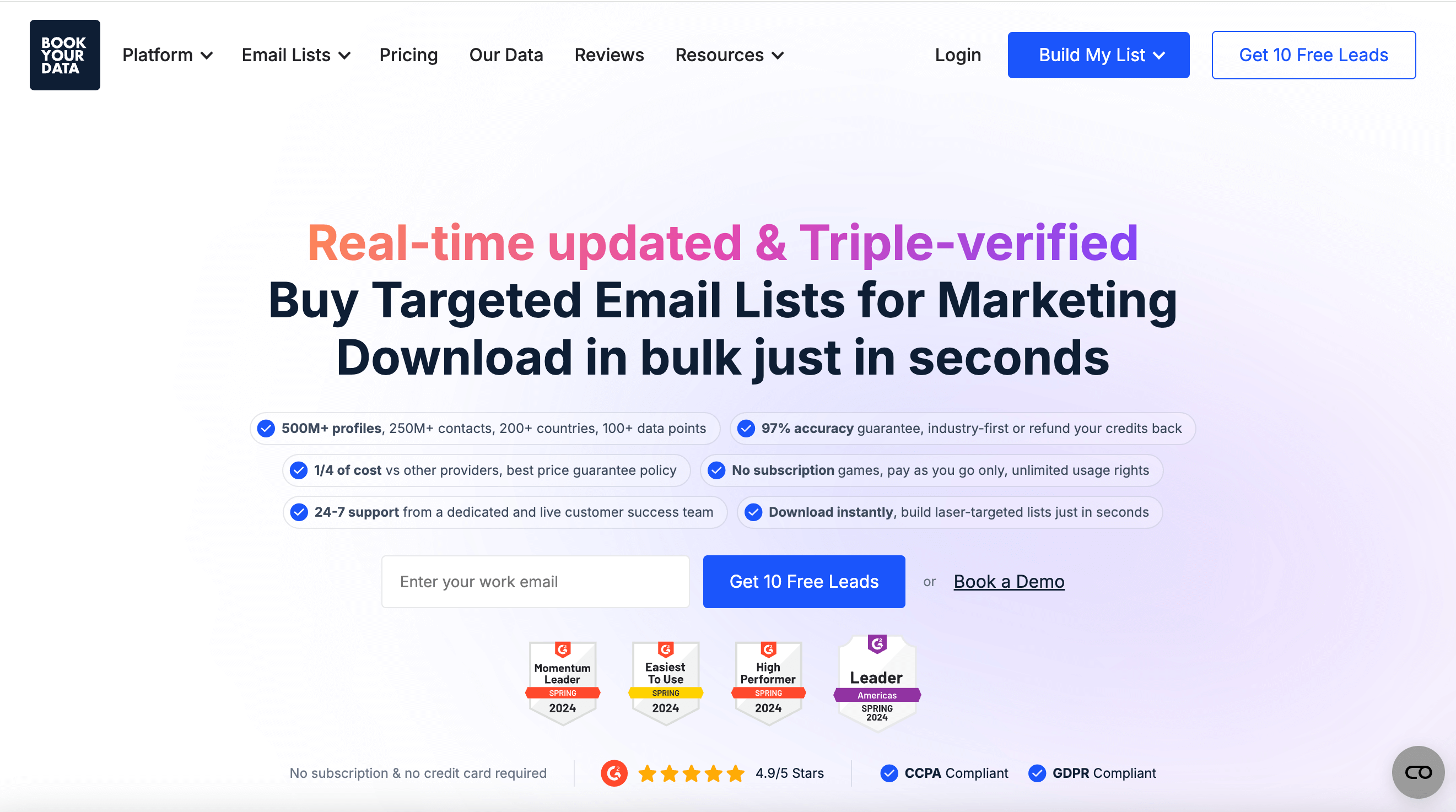
Best for: B2B sales and marketing teams and individuals who look for flexible pay-as-you-go contact data with a 97% accuracy guarantee and access to more than 500M verified profiles across 200+ countries.
BookYourData is a B2B data enrichment platform that specializes in delivering verified business and contact information. It helps organizations refine their marketing and sales databases by providing fresh, human-verified data about professionals and companies across various industries. It also allows teams to fill in missing firmographic and technographic data, which improves segmentation accuracy and reduces wasted outreach efforts. The platform’s real-time verification provides businesses with quality data and accurate contact information for immediate use.
Features
- More than 500 million profiles and over 250 million validated business contacts with verified emails and direct dials for targeted campaigns.
- Verified global B2B database with a 97% accuracy guarantee and real-time updates.
- Pay-as-you-go pricing model for purchasing only required contacts to avoid recurring fees or wasted credits.
- Custom list building for users to generate personalized contact lists by combining over 50+ search filters like geography, industry, and company size.
- API integration for connecting enriched data directly to CRMs such as HubSpot, Salesforce, or Pipedrive.
- Direct downloads in CSV or Excel format for instant data delivery and use in minutes for outreach or analysis.
Pros and Cons
The following table compares the pros and cons of BookYourData.
| Pros | Cons |
|---|---|
| Segmented B2B contacts ready for immediate download | Only business data available, no consumer data |
| Real-time email verification | Limited AI functions |
| 97% accuracy guarantee or credits refunded | No Spanish customer support |
| Ready-made email lists of various industries for bulk download | Some missing advanced integrations |
| Data is GDPR-compliant and triple-verified | No office in Asia |
| No subscription, pay-as-you-go pricing model | No outreach tool |
| What users like |
| BookYourData’s filters turn prospecting into a cakewalk. Peter G. |
| It is super simple to use and saves time while giving reliable data. André T. |
| The tool is worth the investment for the accuracy of leads. Stefanie F. |
Pricing
- Free Pack: The Free Pack offers 10 instant credits with no subscription required and is a test drive for the B2B platform. It also includes access to all the enterprise features of BookYourData.
- Pay-As-You-Go Packs: The Pay-As-You-Go Packs offer tiered pricing with volume discounts. Charges are flexible and cost only for the number of contacts purchased, starting at $0.40 per contact. Discounts for higher-volume purchases reduce the cost per contact to as low as $0.010. This pricing model allows bulk purchases to minimize costs while maintaining access to verified, up-to-date B2B contact lists.

Why I picked BookYourData
BookYourData stands out as the best data enrichment tool as it offers a 97% email accuracy guarantee with real-time verification. The best selling point is the flexible and transparent pay-as-you-go pricing model, where credits never expire, with access to more than 250M verified B2B contacts across 200+ countries.
CRM Datacare
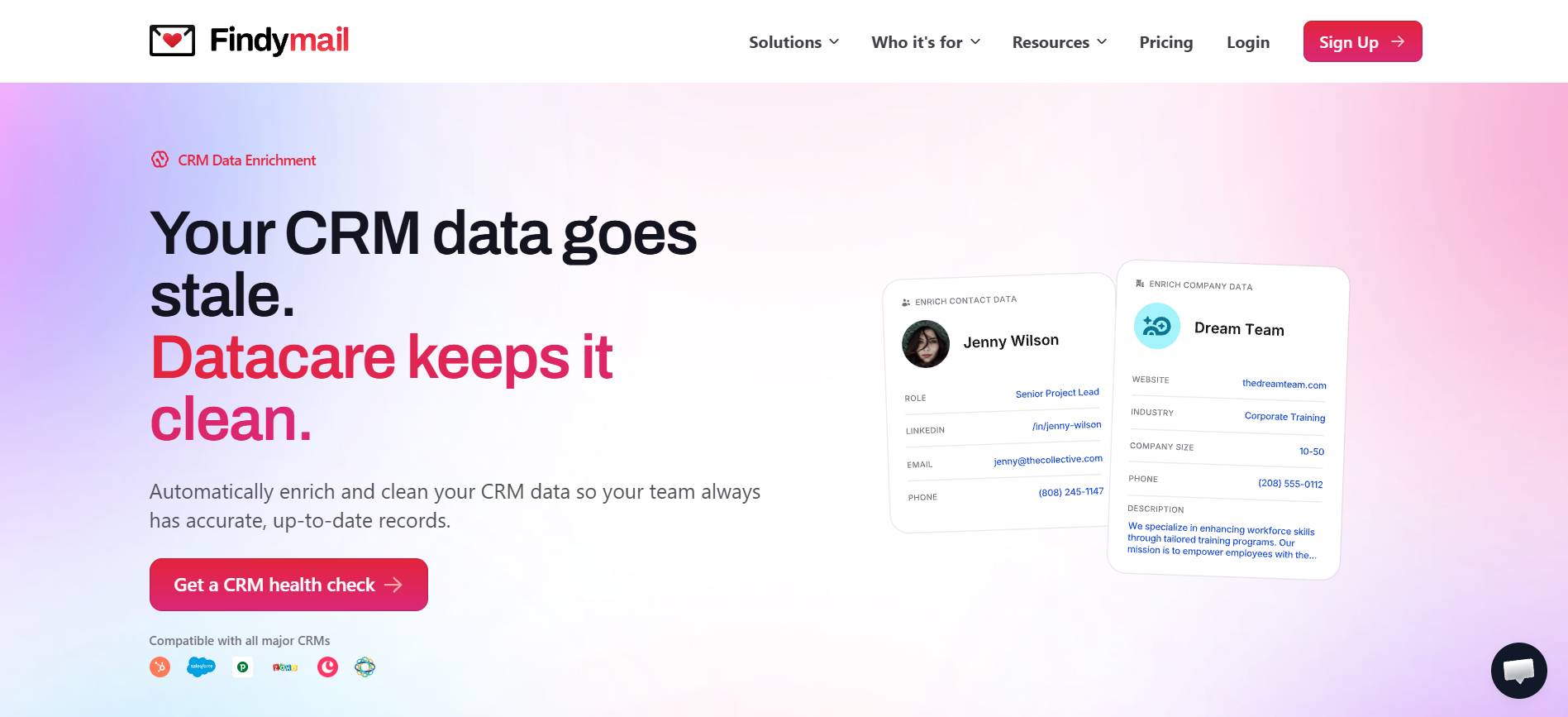
Best for: Sales and RevOps teams that need their CRM continuously cleaned and enriched, rather than a one-time list purchase or a per-contact lookup tool.
CRM Datacare is a data enrichment and maintenance platform from Findymail, built specifically for records already sitting in a CRM rather than for sourcing new prospects. Most tools in this list solve the "find and enrich a new contact" problem. Datacare solves a different one: keeping the contacts you already have from going stale. It continuously monitors and enriches existing CRM records rather than treating enrichment as a one-time upload-and-refresh job.
Features
- Fills missing contact and company data as records enter the CRM, with verified emails, phone numbers, job titles, and company data, guaranteeing under 5% bounce rate
- Tracks contacts when they switch jobs, updating records automatically and notifying you when a champion moves to a new company
- Catches and merges duplicate contacts and companies as they enter the CRM, rather than letting them pile up
- Free CRM Health Check included with every demo, covering data completeness, CRM decay rate, and duplicate rate
- No credit system and no per-action fees, pricing is based on the number of contacts and companies already in the CRM
Pros and Cons
| Pros | Cons |
|---|---|
| Enrichment, duplicate merging, and job-change tracking all run continuously, not as a one-off cleanup | Not a prospecting tool, doesn't help you find new contacts |
| No credit system to manage or ration | Custom pricing based on database size, not published upfront |
| Free health check quantifies decay and duplicate rate before you commit | Less useful for teams without an existing CRM to maintain |
| What users like | What users do not like |
|---|---|
| Powerful & Easy to use. Bruce W. | FINDYMAIL'S EXCELLENT AND EXCEPTIONAL CUSTOMER SERVICE AND SUPPORT. Keith H. |
| Accurate and Comprehensive Email Search Tool. Yash A. | My favourite contact enrichment tool so far. Verified User in Computer & Network Security. |
| Simple, Affordable, Accurate. Verified User in Marketing and Advertising. | One the best data providers for the money hands down. TJ G. |
Pricing
- Starting at $500 per month, billed annually
- Pricing scales based on the number of contacts and companies in the CRM, not usage or actions taken
Why I picked CRM Datacare
Most enrichment tools treat your CRM as a destination, somewhere to export a cleaned list once. Datacare treats it as the thing being maintained. The free CRM Health Check gives a concrete decay and duplicate rate before you sign up, which is a more honest starting point than a generic accuracy percentage.
Datanyze

Best for: Sales teams that need detailed technographic data and company tech stack insights to refine their sales pitch and target prospects using specific technologies.
Datanyze is a B2B data enrichment and technographic intelligence platform that helps businesses identify, segment, and connect with ideal prospects. The B2B intelligence tool delivers real-time business and contact insights that focus on the technologies companies use to improve sales prospecting accuracy. Datanyze combines firmographic and technographic data, which allows users to see their prospects and what software or systems they use. This insight is valuable for SaaS and IT sales teams that target specific technology stacks.
Features
- Technographic and firmographic insights with detailed information about the technologies, size, industry, and revenue of organizations.
- A Google Chrome extension to extract verified emails and phone numbers directly from LinkedIn and company websites.
- 120 million business contacts of decision-makers, with 84 million email addresses and 63 million direct dials.
- CRM integrations with HubSpot, Salesforce, and Outreach to keep data synchronized and updated across platforms.
Pros and Cons
The table below shows various pros and cons of Datanyze.
| Pros | Cons |
|---|---|
| Intuitive interface for ease of use | Very few credits in the free version |
| Detailed technographics insights | Missing or outdated data for some regions and industries |
| Chrome extension for collecting data while browsing | Unhelpful customer support |
| Integrates with popular CRMs | Lack of flexibility for marking inaccurate data |
| What users like | What users do not like |
|---|---|
| Datanyze is one of the best tools to find prospect details. Tripta A. | The platform charges even after requesting cancellation. Rodrigo G. |
| Datanyze is a good tool for contact information. Deepika S. | The product works well, but customer support is horrible. Oleksandra R. |
| The tool is simple and efficient for prospecting. Gautam C. | It needs improvement in data accuracy and to add data for the Asia-Pacific regions. Aswani K. |
Pricing
The pricing plans of Datanyze are given below.
- Nyze Lite: This is a 90 day free trial that provides 10 credits per month, which can be used to reveal contact information through Datanyze directories and the Google Chrome extension
- Nyze Pro 1: This plan costs $21 per month when billed yearly and $29 per month when billed monthly, and offers 80 credits per month to subscribers.
- Nyze Pro 2: This pricing plan costs $55 per month, while a 30% discount for annual billing costs $39 per month. It offers 160 credits per month, with a dedicated support manager in addition to all the other features.
Why I picked Datanyze
Datanyze is a good data enrichment tool for technographic intelligence, as the platform identifies the software and technologies companies use in real time and offers direct access to decision-makers through its Chrome extension.
Breeze Intelligence (formerly Clearbit)

Best for: HubSpot users who require native data enrichment with automatic form shortening, visitor identification, and CRM enrichment without additional platform setup.
Breeze Intelligence (formerly Clearbit) is a B2B data enrichment and sales intelligence platform integrated into the HubSpot CRM that focuses on refining company and contact records. HubSpot acquired Clearbit in 2023 and integrated the tool into its CRM platform as Breeze Intelligence. The HubSpot native tool provides rich firmographic, technographic, and intent insights so revenue and marketing teams can clean up their databases, identify active accounts, and simplify forms for higher conversion rates. Breeze Intelligence uses a credit-based pricing model based on monthly usage, so teams need to monitor credit spending carefully.
Features
- Access to more than 200 million buyer and company profiles with data sourced from over 250 verified third-party providers and public sources.
- Over 40 firmographic, demographic, and technographic attributes for contacts and companies, which include employee range, annual revenue, technologies used, and job seniority.
- Native HubSpot integration for data enrichment, buyer intent tracking, and form shortening to reduce form fields and increase conversion rates.
- Continuous data refresh to keep contact records updated with the latest job changes, company details, and professional information.
- Website visitor identification to track the top 100 companies visiting your site and identify buyer intent signals for targeted outreach.
Pros and Cons
The table below shows various pros and cons of Breeze Intelligence.
| Pros | Cons |
|---|---|
| Deep integration with HubSpot CRM and clean interface | Locked into HubSpot system with limited external integrations |
| Form shortening feature for returning visitors | Data accuracy issues with outdated or duplicate contacts |
| Easy-to-use API for quick integration | Pricing not transparent and requires paid HubSpot subscription |
| Buyer intent tracking for website visitors | Lacks cookie-free tracking for EU compliance |
| What users like | What users do not like |
|---|---|
| It is easy to use and helps quickly find accurate emails of company owners and executives. Jinat S. | Clearbit sometimes gives errors and has limited credits, so users must find other tools or buy more credits. Priyanka G. |
| Slack integration allows users to get instant alerts when important website traffic is detected. Alice K. | ClearBit needs a business email to enrich data and cannot use Gmail to get LinkedIn info. Ryan S. |
Pricing
Breeze Intelligence uses a credit-based system and offers flexible pricing based on usage, with options to purchase additional credits or upgrade automatically when credit limits are exceeded.
- 100 Credits: These are available at $30 per month, which is ideal for small-scale enrichment.
- 1,000 Credits: The credit enrichment costs $150 per month and is suitable for growing businesses.
- 10,000 Credits: The price is $700 per month for high-volume needs.
- Backfill Enrichment: One-time bulk enrichment for data updates costs $5,000.
Why I picked Breeze Intelligence
Breeze Intelligence (formerly Clearbit) offers native CRM integration with automatic contact and company enrichment to HubSpot users. Real-time data updates keep records up-to-date, and IP-based visitor identification captures anonymous website traffic.
Cognism

Best for: Sales teams that prioritize outreach with phone-verified mobile numbers, GDPR compliance, and strong coverage in European markets.
Cognism is a B2B sales intelligence and data enrichment platform that provides high-quality company and contact information enriched with intent signals and technographics. The B2B sales, marketing, and revenue growth platform provides fresh and verified data and also offers real-time API enrichment for sales and marketing teams and individuals to upload and clean their records through the DaaS (Data-as-a-Service) model.
Features
- Phone-verified Diamond Data with mobile numbers manually tested by Cognism's team for 3x faster connect rates compared to industry averages.
- Strong European B2B coverage with 180% more contacts in the UK and 250% more contacts in France and Germany compared to other providers.
- Access to a technographic database of over 20,000 technologies to identify products prospects use and predict contract renewal windows.
- Bombora intent data integration to identify accounts actively researching solutions similar to yours for prioritized outreach.
- GDPR and CCPA compliance with cross-checks against 13 DNC (Do Not Call) lists internationally for legal prospecting confidence.
Pros and Cons
The table below shows various pros and cons of Cognism.
| Pros | Cons |
|---|---|
| Phone-verified mobile numbers with Diamond Data accuracy | High pricing with annual contracts starting at $15,000+ per year |
| GDPR and CCPA compliant with 13 international DNC lists | Weaker data coverage in US and APAC markets |
| Chrome extension for LinkedIn prospecting | Outdated or missing contact data for niche industries |
| Intent data partnership with Bombora for buyer signals | Filtering options in the prospector can be difficult to use |
| What users like | What users do not like |
|---|---|
| Cognism’s Chrome extension allows to easily upload leads to Salesforce, organize lists, and manage outreach quickly and efficiently. Adrian S. | LinkedIn Sales Navigator needs clearer GDPR-friendly data-usage tools and third-party data agreements, and its prospector drop-down menu can be difficult to navigate. Laura C. |
| Cognism is easy to use, with a simple setup and effective filters to quickly find companies and contacts. Mariana T. | Cognism’s mobile numbers are often personal; exports are limited to 25 contacts, and the lack of CRM integration makes data handling slower. Josh P. |
Pricing
The pricing plans of Cognism are listed below.
- Grow: The pricing of the Grow plan is available on custom demand, which ranges from $1,500 to $10,000 annually, with an access fee of $15,000 and $1,500 per user. It includes essential contact and company data for prospecting.
- Elevate: Elevate plan’s price is also available on a custom request. It offers features of the Grow plan, plus advanced intelligence and actionable signals.
Why I picked Cognism
Cognism delivers phone-verified mobile numbers through its Diamond Data feature. The platform also provides strong GDPR and CCPA compliance for European and global markets, as Do-Not-Call list screening reduces compliance risks.
FullContact

Best for: Developers and technical teams that need API-first identity resolution to unify fragmented customer data from multiple channels into enriched profiles.
FullContact is an identity resolution and data enrichment solution that helps businesses to unify and verify fragmented customer records across channels. The B2B platform uses person-centered graphs to link multiple identifiers, like email, phone number, and social profiles and enriches them with other attributes such as demographic details, employment history, and social behavior. It helps sales and marketing teams to convert raw identifiers into rich individual profiles and links first, second, and third-party data into connected customer records. The data enrichment platform maintains privacy regulations and data protection standards, such as GDPR, CCPA, and SOC 2, which allow the safe handling and storage of personal information.
Features
- Identity resolution platform with 240 million US consumer profiles and over 50 billion identity fragments for linking disparate customer data into single profiles.
- Over 900 unique data attributes for enrichment, which include demographics, financial information, home value estimates, shopping habits, and lifestyle interests.
- Real-time API responses in less than 150 milliseconds with identity graph updates.
- Identity resolution using patented Person-Centered Graph technology to match records across 10+ identifier categories like email, phone, address, and mobile ad IDs.
Pros and Cons
The table below shows various pros and cons of FullContact.
| Pros | Cons |
|---|---|
| Identity resolution unifies customer data across multiple channels | Chrome extension and mobile app have bugs and sync issues |
| Enriches contacts with social media profiles and demographic data | Data accuracy issues with age, employment, and education fields |
| Business card scanning with human transcription for accuracy | Limited data coverage outside the US market |
| Privacy-safe with enterprise-grade security features | Low rate limit of 600 queries per minute for batch processing |
| What users like | What users do not like |
|---|---|
| FullContact enriches contacts in gmail. Umesh B. | Some data from the Enrich API have too many fake positives, outdated data with 50% matching rate only. Alfredo A. |
| FullContact has a great and Intrusive API, which is easy to use. Mathieu S. | Full Contact is good as long as you have a worthwhile input for Matching. Being an engineer I'm not super excited about that process. Raphael B. |
Pricing
- Free Trial: Free trial is available to test out the API with 1,000 free matches and contact for custom pricing for your company.
- Essentials Plan: The Essentials plan costs approximately $99 per month and includes 1,000 credits and basic API access with basic contact management features.
- Growth Plan: The Growth plan is priced around $299 per month and provides 5,000 credits and enhanced data features.
- Pro Plan: The Pro plan costs approximately $499 per month, which includes 10,000 credits and advanced integrations with priority support.
- Enterprise/Custom Plans: The Enterprise custom plans range from approximately $6,000 to $83,000 annually.
Why I picked FullContact
FullContact’s identity resolution technology appends more than 900 unique data attributes to customer records from a single identifier, which helps to build unified customer profiles by linking emails, phones, and device IDs across channels.
Apollo.io

Best for: Sales teams seeking an all-in-one platform that combines prospecting, data enrichment, email outreach automation, and a large contact database in one place.
Apollo.io is an all-in-one B2B sales platform that combines enriched contact and company data with outreach tools for lead generation. The comprehensive B2B solution helps sales teams in inbound and outbound lead generation, with data enrichment and performance insights. It supports real-time enrichment to update missing or outdated fields through bulk CSV uploads, API-driven workflows, and CRM integrations, such as Salesforce and HubSpot, which automate enrichment and maintain data health. Apollo serves as a complete data intelligence and engagement platform for sales and marketing teams to find and manage prospects.
Features
- B2B database with more than 275 million contacts and 73 million companies, which includes verified emails, direct dials, and LinkedIn URLs for decision-makers.
- Over 65 advanced search filters for precise targeting by job title, seniority, company size, industry, technographics, and buyer intent signals.
- Waterfall enrichment from multiple third-party data sources to maximize email and phone number coverage when primary sources return incomplete data.
- Living data network powered by over 2 million data contributors with 91% email accuracy and real-time updates triggered by job changes and new contact signals.
- CRM enrichment with real-time and scheduled syncing for Salesforce, HubSpot, Zoho, and Pipedrive to push more than 30 data points directly to contact records.
Pros and Cons
The table below shows various pros and cons of Apollo.io.
| Pros | Cons |
|---|---|
| Built-in dialer with local area code matching | Data accuracy issues with bounce rates up to 35% in some cases |
| User-friendly interface with easy navigation | Outdated contact information and inaccurate mobile numbers |
| Chrome extension integrates with LinkedIn for prospecting | Phone numbers cost extra and require additional credits |
| Email sequences and workflow automation in one platform | Steep learning curve requiring better onboarding support |
| What users like | What users do not like |
|---|---|
| Apollo.io has a clean, easy-to-use interface and a large, diverse database that helps find quality leads quickly. Raghav D. | Apollo.io is a bit confusing to use, and searching for the right details takes time. Abhishek A. |
| Apollo.io is a powerful sales tool that helps send bulk emails, track clicks, and analyze interested customers easily. Rohan T. | Apollo’s power dialer sometimes freezes and shows blank names, and adding a “wrong number” tag feature would help improve data accuracy. Karan R. |
Pricing
The pricing plans of Apollo.io are listed below.
- Free plan: The free plan offers limited access to Apollo’s database with 100 credits per month, basic search filters, and restricted email sequencing.
- Basic plan: The Basic paid plan costs $59 per month, but $49 per month when billed annually, and includes 2,500 credits per month, advanced search filters, A/B testing, and standard CRM integrations.
- Professional plan: This paid plan costs $99 per month with discounted price of $79 for annual billing and provides 4,000 monthly credits, intent data, job change alerts, and CRM integrations with Salesforce and HubSpot.
- Organization plan: The Organization plan is designed for larger teams with a minimum of 3 users and costs $149 per user per month, with a discounted price of $119 per month on annual subscription. This paid plan offers 6,000 monthly credits to each user, more intent topics, customizable reports and dashboards, and premium support.
Why I picked Apollo.io
Apollo.io combines data enrichment with built-in sales engagement tools in one platform with real-time CRM syncing. Apollo.io offers waterfall enrichment from multiple sources, and small teams can test outbound strategies using the free plan.
Lusha
Best for: Sales professionals and recruiters who focus on LinkedIn prospecting with real-time contact extraction through a Chrome extension.
Lusha is a B2B sales intelligence platform to help businesses find and connect with suitable prospects. Sales, marketing, and recruiting teams rely on Lusha’s services and Lusha AI for high-quality contact and company data, intent signals, and data enrichment to automate workflows. The B2B data platform offers a vast database, which includes direct emails and mobile numbers, with firmographic and technographic details to provide accurate and reliable contact data for lead generation.
Features
- Access to over 280 million verified contacts with direct dials, validated emails, and enriched company profiles for B2B outreach campaigns.
- Chrome extension to find and verify contact details directly from LinkedIn, Salesforce, Gmail, and company websites without leaving the browser.
- Automated CRM enrichment for Salesforce, HubSpot, and Pipedrive to update contact and company records with fresh data through scheduled workflows.
- Buyer intent data and job change alerts to identify companies with high purchase likelihood and track when key decision-makers switch roles.
- CSV enrichment to upload contact lists and append verified emails, phone numbers, intent signals, and funding data in bulk for large-scale campaigns.
Pros and Cons
The table below shows various pros and cons of Lusha.
| Pros | Cons |
|---|---|
| Chrome extension works directly on LinkedIn and company websites | Data accuracy is inconsistent with outdated or incorrect contacts |
| Bulk enrichment for up to 25 profiles from LinkedIn search results | Contact coverage gaps when prospects are not in database |
| Integrates with Salesforce, HubSpot, Pipedrive, and other CRMs | Data import feature not available in lower subscription tiers |
| Buyer intent data and advanced filtering by industry and job title | Auto-renewal billing practices become frustrating |
| What users like | What users do not like |
|---|---|
| Lusha is reliable and GDPR/CCPA compliant. It provides secure and trustworthy data compared to many alternatives. Sage T. | It is simple to start, but the data accuracy is not strong enough for growing sales teams that need precise prospect details. Randy P. |
| Lusha helps find accurate contact information and provides useful insights about people and companies beyond sales use. Delfina B. | Sometimes, new prospects, especially those with less than six months in a role, do not appear in Lusha, which makes outreach challenging. Erik S. |
Pricing
The pricing plans of Lusha are listed below.
- Free: The Free plan of Lusha costs $0 per month and gives 40 credits per month. This plan does not require a credit card and provides phone numbers, verified email addresses, bulk show up to 25 contacts, intent signals up to 5 topics, Lusha extension, and an API.
- Pro: The Pro plan costs $22.45 per month if billed annually and gives 3,000 credits per year. This plan includes everything in the Free plan, plus CSV enrichment up to 300 rows, bulk show up to 50 contacts, basic usage analytics, technology and intent alerts, extension bulk show up to 25 contacts, and a shared credit pool.
- Premium: The Premium plan costs $52.45 per month if billed annually and gives 7,200 credits per year. It includes everything in the Pro plan, plus CSV enrichment up to 500 rows, bulk show up to 150 contacts, advanced usage analytics, and technology and intent alerts.
Why I picked Lusha
Lusha delivers 90% phone number accuracy through crowdsourced data verification with the Chrome extension pulling contact details directly from LinkedIn and company websites, which results in higher contact rates.
LeadGenius

Best for: Enterprise B2B companies that require custom, human-verified data enrichment for niche ICPs (Ideal Customer Profiles), complex buyer personas, and challenging segments.
LeadGenius is a B2B contact and buyer intelligence platform that delivers precision contact data and account intelligence for targeted lead generation. The B2B data strategist uses an AI and Human-in-the-Loop approach to provide customized data on demand. LeadGenius keeps the client’s CRM up to date by delivering real-time, compliant data with advanced contact tags and continuous monitoring, which reduces manual data monitoring and enrichment.
Features
- Hybrid AI and human verification approach with researchers across more than 37 countries to deliver custom B2B data sets for niche markets and hard-to-find segments.
- On-demand precision data with highly specific contact and account information tailored to unique business needs rather than generic database records.
- Real-time account signals including new product launches, funding announcements, and hiring trends for timely outreach to active buyers.
- Automatic Salesforce integration with 12-hour sync intervals for importing leads, contacts, accounts, and opportunities without manual intervention.
- GDPR and CCPA compliance with customizable field mapping and overwrite logic to maintain data integrity during enrichment campaigns.
Pros and Cons
The table below shows various pros and cons of LeadGenius.
| Pros | Cons |
|---|---|
| Combines AI and human researchers for verified lead data | Lacks personalization and human touch in interactions |
| Global B2B database with 350M+ decision-makers | Outdated and irrelevant leads appear frequently |
| Helps reduce marketing team size and operational costs | Leads sometimes fall outside target audience preferences |
| Provides accurate business emails and direct dials | Limited CRM integrations with no native HubSpot connector |
| What users like | What users do not like |
|---|---|
| LeadGenius is a one-stop solution for marketing campaigns and lead management. Yashwant P. | LeadGenius’s sales people are pushy on emails and randomly assuming the tech in place. Shriram R. |
| The tool provided us with the necessary infrastructure needed to build a strategy for managing and acquiring leads. Hamiyyet B. | Some of the leads are outdated or what we call "dead leads" so you need to watch out for those if you plan to use this tool. Hamiyyet B. |
Pricing
- Custom Pricing: LeadGenius’s sales team customizes the plan for businesses according to their needs. However, basic online research shows that Leadgenius costs at least $20,000 per year.
Why I picked LeadGenius
LeadGenius combines AI with human researchers to build custom data sets and covers more than 30 countries with GDPR and CCPA compliance built in. The optimized data allows targeting of niche markets or international accounts verified by specialists rather than automated scraping only.
UpLead

Best for: Sales teams that need 95% accurate, verified contact data with real-time email verification and straightforward pricing at lower cost than enterprise alternatives.
UpLead is a searchable database for lead generation that provides accurate and verified contact data to B2B sales and marketing teams. The B2B database offers a data enrichment service to refresh existing contacts in CRM records and verifies them in real-time. The data platform allows users to upload their data or integrate with CRMs such as Salesforce and HubSpot. It uses intent signals to identify prospects, which helps to build a targeted list for businesses that already have a CRM and outreach resources.
Features
- 95% data accuracy guarantee with real-time email verification performed at the moment of export to reduce bounce rates and improve deliverability.
- Access to more than 160 million B2B contacts globally with over 50 search filters, such as job title, industry, company size, revenue, and technographic data.
- Intent data to identify B2B companies actively researching solutions similar to yours for reaching prospects at the right moment in their buying journey.
- Direct CRM integrations with Salesforce, HubSpot, Pipedrive, Zoho, and Microsoft Dynamics for one-click exports and automated workflow connections.
Pros and Cons
The table below shows various pros and cons of UpLead.
| Pros | Cons |
|---|---|
| 95% email accuracy guarantee with real-time verification | Higher pricing compared to some competitors |
| Chrome extension captures leads from LinkedIn and websites | Smaller companies often missing from database |
| Integrates with Salesforce, HubSpot, Zapier, and other CRMs | Cancellation requires scheduling a Zoom meeting |
| Technographics data for tracking company technology usage | Customer support becomes unresponsive to complaints |
| What users like | What users do not like |
|---|---|
| UpLead offers easy lead generation, accurate email verification, fair credit usage, and simple setup. Nachiket K. | Some companies in UpLead have outdated email data. Chuck B. |
| UpLead has an intuitive interface, high data accuracy, and is suitable for scalable lead generation. Dionard D. | UpLead returns error messages when contact emails cannot be found, which interrupts the workflow. Graham K. |
Pricing
The pricing plans of UpLead are listed below.
- Free Trial: UpLead offers a 7-day free trial and offers 5 credits.
- Essentials: The Essentials plan of UpLead costs $99 per month for 170 credits, while $74 per month with 2040 credits if billed annually.
- Plus: The Plus plan of UpLead costs $199 per month, which gives 400 credits, and $149 per month for 4,800 credits if billed annually.
- Professional: The Professional plan is customized, and it provides users with custom credits, buyer intent data, all search filters, full API access, bi-directional CRM sync, competitor intelligence, team management, a dedicated account manager, an onboarding specialist, and priority phone support.
Why I picked UpLead
UpLead guarantees 95% data accuracy with real-time email verification at export and refunds credits for bounced contacts. Users access more than 160 million B2B contacts with over 50 search filters.
Crunchbase

Best for: Sales teams, investors, and marketers conducting research on private company funding, investor data, and startup ecosystem intelligence.
Crunchbase is a business intelligence platform that provides comprehensive data on private and public companies, which includes funding details, leadership information, acquisitions, and market trends. The predictive intelligence platform helps sales, marketing, and investment teams to identify growing businesses, track funding signals, and discover potential prospects or partners. Crunchbase offers enrichment features to allow users to update CRM records with verified firmographic and funding data, which improves segmentation and lead prioritization.
Features
- Detailed profiles on over 3.7 million companies with funding history, investor information, revenue estimates, and team size data for market intelligence and lead research.
- AI-powered predictions that forecast funding likelihood, acquisition probability, IPO potential, and company growth with supporting evidence like product launches and headcount changes.
- Real-time data enrichment through API access with firmographics, financial metrics, and predictive signals to automate lead scoring and prioritize high-value prospects.
- Salesforce integration for automated daily or weekly data refresh on accounts and leads, with the ability to search and create records directly within the CRM.
- Market activity signals from 80 million active users.
Pros and Cons
The table below shows various pros and cons of Crunchbase.
| Pros | Cons |
|---|---|
| Strong database of VC, investor, and funding round information | Phone numbers and emails are often invalid or outdated |
| Detailed company profiles with financing history and key team members | Free version restricts access to advanced analytics, bulk data, and exports |
| Transparent pricing with self-service access (no sales calls required) | Data comes from third-party partners and contains errors |
| Useful for identifying M&A opportunities and market research | Billing and cancellation process causes confusion for users |
| What users like | What users do not like |
|---|---|
| Crunchbase is easy to use, with a simple interface, useful features, and smooth integration, and it provides impactful insights for research and outreach. Kevin A. | The AI search provides inaccurate results, the trial is short and limited, and the pricing is relatively high. Ayush A. |
| Crunchbase helps research companies and prospects. It supports business development, partnerships, and investment decisions. Shreyans P. | Some information can be outdated, and more contact details on company pages will be helpful. Tiago M. |
Pricing
The pricing plans of Crunchbase are mentioned below.
- Pro plan: The Pro plan of Crunchbase costs $99 per month and allows businesses to search 4M+ private companies with full results.
- Business plan: The Business plan of Crunchbase costs $199 per month and allows businesses to become an instant expert on industry trends with their AI agent.
- API plan: The API plan of Crunchbase has custom pricing and provides businesses with access to live company data at scale, with 200 calls/min.
Why I picked Crunchbase
Crunchbase specializes in funding and investment intelligence for private companies. The platform provides round-by-round funding data, IPO predictions, and growth signals from over 80 million active users for predictive company insights.
12. Kaspr

Best for: Sales professionals and recruiters who rely on LinkedIn for prospecting and need accurate European contact data extraction through a Chrome extension.
Kaspr is a B2B lead generation and contact data tool designed for sales and recruitment teams that focus on reaching decision-makers quickly. It offers a Chrome extension and web app that finds direct emails and phone numbers from LinkedIn profiles, with job title and company information. The B2B prospecting tool allows users to enrich leads directly from LinkedIn or upload bulk lists for data enrichment at scale.
Features
- Access to over 500 million phone numbers and email addresses with real-time verification from more than 150 data sources for accurate B2B prospecting.
- LinkedIn Chrome Extension that extracts contact details from profiles, Sales Navigator, Recruiter Lite, events, and groups in one click.
- Strong European market coverage with over 120 data providers across Europe and GDPR and CCPA aligned data collection practices.
- CRM integrations with HubSpot, Salesforce, Pipedrive, Zoho, and Lemlist to export leads and sync contact data across sales workflows.
- Sales automation workflows that enrich prospects in bulk, organize leads into lists, and launch LinkedIn outreach sequences from a single dashboard.
Pros and Cons
The table below shows various pros and cons of Kaspr.
| Pros | Cons |
|---|---|
| Easy to use Chrome extension for extracting contacts from LinkedIn | No traditional database search (works only through LinkedIn) |
| Quick setup with simple account creation and browser installation | Pricing structure is confusing and expensive for features offered |
| Strong data accuracy for European and UK mobile numbers | Phone numbers sometimes unavailable or show only landlines |
| Bulk list creation directly from LinkedIn search results | Lacks native email sequencing and sales engagement tools |
| What users like | What users do not like |
|---|---|
| Kaspr is straightforward and effective, with a valuable referral system for earning credits. David E. | Kaspr is expensive, with some errors, and offers no support or account management for issues. Jerome B. |
| Kaspr is easy to use for getting single contact info without needing a Sales Navigator subscription. Jake B. | Kaspr’s pricing is inflexible and requires a new license to obtain additional credits rather than allowing simple top-ups. Hamish D. |
Pricing
- Free plan: The Free plan of Kaspr costs €0 per month and offers 15 B2B email credits.
- Starter: The Starter plan of Kaspr costs €45 per month and €59 per year and offers the Kaspr Sales Navigator.
- Business: The Business plan of Kaspr costs €79 per month and €99 per year and offers API access.
- Enterprise: The Enterprise plan of Kaspr has customized pricing, and you need to talk to the sales team to get a plan.
Why I picked Kaspr
Kaspr offers a plug-and-play Chrome extension for LinkedIn prospecting, which offers access to more than 500 million phone numbers and emails directly from LinkedIn profiles, groups, and events. The platform covers European data with GDPR and CCPA compliance for B2B outreach across global markets.
People Data Labs
Best for: Developers, engineers, and data scientists building applications with API access to billions of profiles and flexible data enrichment capabilities.
People Data Labs is a data platform that delivers rich datasets on companies and professionals for prospecting, recruiting, investment, product development, or analysis. The business platform offers its data through APIs and data licensing, which makes it accessible for developers, data scientists, and engineers. It also refreshes CRM records to enrich missing information for the current leads and provides advanced analytics to gain insights and optimize strategy.
Features
- A dataset of over 1.5 billion unique person profiles and over 70 million company records for building products, enriching CRM data, and powering AI models.
- Person Enrichment API that matches profiles using name, email, phone, company, school, or social profile information with proprietary matching logic.
- Company data with monthly updates that include firmographics, funding history, revenue data, headcount, and technology stack for over 70 million organizations.
- SOC 2 Type 2 and ISO 27001 certified data security with compliance-ready sourcing practices for enterprise-level data protection.
Pros and Cons
The table below shows various pros and cons of People Data Labs.
| Pros | Cons |
|---|---|
| Well-documented API with quick setup | No verified work emails included in standard offerings |
| Multiple API endpoints for enrichment, search, and cleaning | Data recency issues with monthly updates on pre-cached data |
| Reliable platform with minimal maintenance required | Overwhelming volume of data to sift through |
| Responsive customer support team | Limited flexibility for controlling data freshness options |
| What users like | What users do not like |
|---|---|
| People data labs are a great source for business owners and sales teams to get some quality data. Once you get used to the software, it is easy to adopt and scale. Bhargav P. | There are a large number of duplicates in the dataset. Jeb S. |
| Well thought-out product design, coupled with smart people and hard work. John Z. | This company steals your personal data and sells them to companies. Stanislav V. |
Pricing
- Free: The Free plan of People Data Labs costs $0 and provides 100 monthly records for both person and company data. This plan does not include contact data, which includes emails and phones, or premium fields.
- Pro (Person Data): The Pro plan for Person Data starts at $98 per month or $940 per year for an annual subscription at a 20% discount and provides 350 records per month.
- Pro (Company Data): The Pro plan for Company Data starts at $100 per month and provides 1,000 company lookups. This plan includes company enrichment, company search API access, and premium company fields. Annual contract costs $960 per year.
- Enterprise: The Enterprise plan offers custom pricing and provides unlimited credits, custom integrations, dedicated account management, enterprise-grade security features, and priority support.
Why I picked People Data Labs
People Data Labs provides API-first access to 1.5 billion person profiles for developers and data teams and supports bulk enrichment and custom matching logic. People Data Labs' flexible endpoints and pay-per-match pricing structure benefit technical teams building products or powering AI models.
Snov.io

Best for: Small B2B teams who look for affordable email automation combined with basic data enrichment and strong email verification capabilities.
Snov.io is a B2B sales and marketing automation and data enrichment platform that merges prospecting, email verification, multichannel outreach, and campaign automation into a single solution. The all-in-one tool allows sales and marketing teams to find verified email addresses, validate them to reduce bounce risk, and enrich lead and account data through Snov.io API.
Features
- Lead database with over 700 million prospects and 60 million companies searchable through 15 filters including industry, job title, company size, and location.
- 7-tier email verification that checks syntax, MX records, and SMTP status to reduce bounce rates and protect sender reputation with up to 4,000 verifications per hour.
- Chrome extension that finds and extracts emails from LinkedIn profiles, company websites, and search results with bulk scraping capabilities.
- Built-in sales CRM with deal management, pipeline tracking, and task scheduling at no additional cost for organizing leads and monitoring sales progress.
- Native integrations with HubSpot, Pipedrive, Zoho CRM, Calendly, Slack, and 5,000+ additional tools via Zapier for connecting outreach with existing workflows.
Pros and Cons
The table below shows various pros and cons of Snov.io.
| Pros | Cons |
|---|---|
| All-in-one platform for lead finding, email verification, and outreach | Limited database coverage in niche industries and geographies |
| Chrome extension for collecting contacts from LinkedIn and websites | Shared credit system depletes quickly across multiple features |
| Email warm-up feature helps improve sender reputation | No mobile number extraction without relying on other tools |
| Integrates with 5,000+ tools including popular CRMs | Steep learning curve with overloaded user interface |
| What users like | What users do not like |
|---|---|
| Snov.io simplifies lead generation, cold email outreach, campaign management, and CRM. Bhavik C. | Snov.io sent duplicate emails due to a technical error, which resulted in reliability issues. Peter D. |
| Snov.io is easy to use for finding emails and warming accounts, and supports smooth implementation with good customer service. Shruti J. | Snov.io’s database is limited in niche industries, contact details are inaccurate, and reporting lacks advanced analytics. Chetan C. |
Pricing
Snov.io pricing plans are given below.
- Trial: Snov.io’s Trial plan is free forever with limited credits. It provides 50 credits, 100 recipients, and one mailbox warm-up slot, which allows teams to test outreach tools and verify emails before committing to a paid plan.
- Starter: The Starter plan costs $39 per month but offers a 5% discount for a 3-month subscription and 25% off when billed annually, which lowers the cost to $29.25 per month. This paid plan includes 1,000 credits, 5,000 recipients, and 3 mailbox warm-ups and supports unlimited campaigns, exports, and integrations.
- Pro: The Pro plan includes S, M, L, and Ultra tiers, which make it scalable for different business sizes and needs. Pro S starts at $99 per month, which offers 5,000 credits and 25,000 recipients, while Pro M costs $189 per month and provides 20,000 credits and 50,000 recipients. Pro L gives 50,000 credits with 100,000 recipients at $369 per month, and Ultra costs $738 per month for 100,000 credits and 200,000 recipients. All these tiers offer the same 5% discount on a 3-month subscription and a 25% discount on annual billing.
- Custom Ultra: This ultra paid plan offers an ultimate toolset at customized pricing. It provides 200,000 credits, 400,000 recipients, unlimited warm-ups, and the highest feature access. This plan is most suitable for enterprises or agencies that need maximum scale, priority support, and customized quotas.
Why I picked Snov.io
Snov.io combines email finding with 7-tier verification and drip campaign automation and allows to run prospecting, verification, and outreach from one dashboard. Pricing starts with a free tier, which is suitable for startups to test cold email strategies.
Demandbase

Best for: Medium to large B2B organizations that require account-based marketing strategies with AI-powered account intelligence and multi-channel engagement.
Demandbase is a B2B marketing and sales intelligence platform that focuses on account-based data enrichment, intent tracking, and personalization using artificial intelligence. The pipeline AI platform combines firmographic, technographic, and intent data to provide AI-driven insights and analytics, which help sales and marketing teams to identify target accounts and deliver personalized offers. It integrates with CRMs, such as Salesforce and Marketo, and uses AI-powered data enrichment and standardization to automate and maintain data hygiene.
Features
- 176 million B2B contacts with 109 million verified emails and 54 million mobile numbers across 100 million company profiles for account-based targeting.
- Intent data powered by more than 2.1 trillion monthly signals and 810,000+ keywords to identify accounts actively researching solutions.
- 47,000+ technologies tracked for technographic insights, including back-end systems hidden behind firewalls that competitors cannot detect.
- Native Salesforce integration that syncs intent data, engagement signals, and firmographics directly into the Sales Cloud Prospecting Center.
Pros and Cons
The table below shows various pros and cons of Demandbase.
| Pros | Cons |
|---|---|
| Real-time measurement for tracking marketing initiatives | Company revenue and employee count data often inaccurate |
| Strong ABM capabilities with intent data and predictive scoring | Steep learning curve with overwhelming features for non-power users |
| Integrates with Salesforce, Pardot, and marketing automation tools | Difficult setup process without a dedicated operations team |
| Account scoring feature helps prioritize high-intent leads | The reporting platform difficult to use and requires CSV exports for manipulation |
| What users like | What users do not like |
|---|---|
| Demandbase consolidates all relevant account data into a single, comprehensive dashboard with key insights on leads. Stefano C. | They lack emails, proper phone numbers, and many of the contacts they provide seem to no longer work for the company they are listed at. Steven S. |
| I greatly appreciate Demandbase’s ability to help us identify trends ahead of time, spot account behavior, and even identify competitors within the data mix. Katherine C. | Demandbase is tough to adopt. Another thing is that you can't bulk export leads into your CRM, such as Salesforce. Nick K. |
Pricing
- Custom pricing: Fill out the form, and the team will customize a pricing plan for your business. The average price of Demandbase according to ZenABM is $65,000 per year.
Why I picked Demandbase
Demandbase leads the market in account-based marketing with buying group identification across more than 150 million professionals. The platform unifies first-party and third-party data with AI-powered intent signals and helps to run multi-channel ABM campaigns using account intelligence and personalized engagement.
ZoomInfo

Best for: Large enterprises that require comprehensive sales intelligence with advanced technographic data, website visitor identification, and deep integration capabilities.
ZoomInfo is a B2B sales intelligence platform that offers access to an extensive database of company and contact profiles, with verified direct emails, phone numbers, firmographics, and technographics. The comprehensive B2B platform provides a searchable prospect database, enrichment services, and engagement tools to build scalable lead pipelines and keep CRM data up to date.
Features
- Over 250 million business contacts and 100 million companies with verified emails, direct dials, job titles, and organizational charts.
- Data enrichment from 60+ trusted providers with real-time verification and updates to maintain CRM accuracy across Salesforce, HubSpot, and Marketo.
- Firmographic, technographic, and intent data filters to identify high-potential accounts based on buying signals, company size, revenue, and technology stack.
- Instant and scheduled CRM enrichment through native integrations that automatically append 50+ data fields to contact and account records.
- AI-powered automation for lead scoring, routing, and personalized outreach recommendations based on prospect behavior and engagement patterns.
Pros and Cons
The table below shows various pros and cons of ZoomInfo.
| Pros | Cons |
|---|---|
| Comprehensive B2B database with 260M+ contacts and 135M+ verified phone numbers | Very expensive pricing starting at $14,995 per year with annual contracts only |
| Intent data helps identify accounts actively searching for solutions | Data accuracy issues with outdated contacts and people who left companies years ago |
| Advanced filtering by job title, industry, company size, and tech stack | Limited coverage for EMEA and international regions outside the US |
| Helpful onboarding and customer support teams | Credit-based system runs out quickly with expensive top-up fees |
| What users like | What users do not like |
|---|---|
| ZoomInfo simplifies prospecting with accurate data, intent insights, and automation, which helps target in-market prospects quickly. Jeff B. | ZoomInfo’s filters are powerful, though using too many filters hide useful data. Marlon G. |
| ZoomInfo helps quickly find accurate contacts, and its advanced search makes sourcing easy and effective. Juniad Q. | ZoomInfo’s data is extensive but sometimes outdated or incomplete, which becomes challenging when accurate, current contact details are essential. Jaclyn T. |
Pricing
The pricing plans of ZoomInfo are listed below.
- Lite program: The Lite Program is a free tier granting limited database access in exchange for sharing business data with ZoomInfo, and allows up to 10 contact downloads per month.
- Professional plan: The Professional Plan costs approximately $14,995 per year and includes 5,000 annual bulk credits, with an additional fee of $1,500 for each extra user.
- Advanced plan: The Advanced Plan costs $24,995 per year and provides 10,000 bulk credits and 1,000 monthly credits per user, with each additional user costing $2,500.
- Elite plan: This paid plan matches the credit limit of the Advanced plan at $39,995 per year but provides ZoomInfo’s full suite of premium features and add-ons.
Why I picked ZoomInfo
ZoomInfo maintains one of the largest B2B databases with 260 million contacts with over 135 million direct dials. Enterprise sales and marketing teams benefit from real-time enrichment and built-in intent signals.
Lead411

Best for: Sales teams that need accurate contact data re-verified every 90 days with real-time buyer intent signals and lead scoring features.
Lead411 is a B2B sales intelligence and lead generation platform that provides verified company and contact data with intent signals and sales triggers. The B2B sales platform helps sales, marketing, and recruiting teams to identify and connect with prospects with a higher conversion rate. Lead411 integrates with CRMs, like Salesforce and HubSpot, and also offers an API for lead enrichment.
Features
- Over 450 million contacts within 20 million companies worldwide, with verified direct dials and mobile numbers for decision-makers.
- Triple-verified email addresses using SMTP validation, human verification, and email open confirmation with a claimed 96% accuracy rate.
- Bombora-powered intent data to identify companies actively researching products and services related to your business.
- Unlimited data access on paid plans with no per-contact fees, and contacts re-verified every 3 to 6 months for ongoing accuracy.
- Native CRM integrations with Salesforce, HubSpot, and Pipedrive, plus API access for custom enrichment workflows.
Pros and Cons
The table below shows various pros and cons of Lead411.
| Pros | Cons |
|---|---|
| Affordable pricing compared to ZoomInfo with similar data quality | Data quality sometimes outdated with contacts who left companies over a year ago |
| Verified emails and direct dials with 96% claimed accuracy rate | Limited contact coverage for certain regions and niche industries |
| Sales triggers alert you to funding rounds, hiring trends, and executive changes | No built-in email sequencing or outreach automation features |
| Chrome extension for browsing LinkedIn and company websites | Buggy HubSpot integration requiring support to function correctly |
| What users like | What users do not like |
|---|---|
| Lead 411 helps build accurate lists quickly and prioritize prospects. — Rohit B. | The platform feels clunky, regional sorting is unclear, and videos are confusing; customer service is good but slow. David L. |
| Lead411 is affordable, gives high-quality data, and offers unlimited email and phone views. John F. | Lead411 allows to exclude certain areas when searching by location, like specific cities or zip codes. Luis G. |
Pricing
The pricing plans of Lead411 are listed below.
- Free Trial: Lead411 offers a 7-day free trial and costs $0. It provides 50 free exports, verified email addresses, direct phone numbers, advanced search criteria, extensive employee data, up-to-date company data, and a Chrome extension.
- Spark: This plan of Lead411 costs $49/month if billed monthly and $490/month if billed annually. It provides everything in the Free plan plus 1000 exports/month.
- Blaze: This plan is a customizable plan on both a manual and an annual basis and provides 1000+ exports per month, CRM customizations, company news updates, direct email outreach, and an AI search assistant.
- Ignite: This plan is an annual subscription, and users can get a quote from their sales team. It includes flexible exports/year, verified email addresses, direct phone numbers, extensive employee data, up-to-date company data, a Chrome extension, company news updates, CRM customizations, direct email outreach, and an AI search assistant.
Why I picked Lead411
Lead411 specializes in growth intent data that tracks funding rounds, hiring trends, and expansion signals using Bombora intent data. Unlimited search plans start at $99 per month without daily caps or usage limits.
Adapt.io

Best for: B2B sales and marketing teams that look for cost-effective prospecting with a Chrome extension for LinkedIn data extraction.
Adapt.io is a B2B lead intelligence platform that provides accurate, verified business data for sales, marketing, and recruitment teams. The B2B platform offers access to a vast database of professionals and organizations, which includes direct emails, phone numbers, and firmographic details such as industry, company size, and revenue. Adapt.io enriches information in uploaded CSV files, integrates with popular CRMs like Salesforce and HubSpot to automatically enrich and update contact records, and offers APIs to enrich data on demand.
Features
- Over 250 million business contacts and 12 million company profiles with verified emails, direct dials, and firmographic details across 3,000+ tech sectors.
- Data enrichment with over 50 attributes, which include job titles, company revenue, employee count, industry, location, and technographic insights.
- Chrome extension (Prospector) to extract contact information directly from LinkedIn profiles, company websites, and search results.
- CRM integrations with Salesforce, HubSpot, Pipedrive, Zoho, Marketo, and Outreach for automatic data sync and list exports.
- Growth signals that track employee expansion, key hires, and department-level changes to identify fast-growing companies ready to buy.
Pros and Cons
The table below shows various pros and cons of Adapt.io.
| Pros | Cons |
|---|---|
| Chrome extension pulls contact info directly from LinkedIn profiles | Pricing more expensive than competitor tools like Skrapp.io and Clearbit |
| Real-time data validation keeps contact details current | Easy to waste valuable lookup credits on unwanted contacts by mistake |
| User-friendly interface that is quick and easy to navigate | Email accuracy can be poor with addresses that make no sense |
| Advanced filters for building targeted prospect lists by industry and title | No built-in email sending feature for outreach in the same platform |
| What users like | What users do not like |
|---|---|
| The service is easy to use, helps get many contacts fast, and support is always helpful. Kin L. | Missing direct emails and limited free credits make Adapt harder to use without paying. Umar S. |
| Adapt helps find the right people, jobs, and emails, which saves time and boosts sales. Given P. | Adapt lacks easy options for users to customize the platform. Nikhil T. |
Pricing
The pricing plans of Adapt.io are listed below.
- Free: Adapt.io offers a free plan that provides 25 email credits, 25 enrichment credits, and 25 contacts per day. The yearly free plan increases to 300 email credits and 300 enrichment credits.
- Starter: Adapt.io’s Starter plan costs $49 per month and provides 500 email credits, 500 enrichment credits, and 50 contacts per day. The yearly plan costs $490 and offers 6,000 email credits and 6,000 enrichment credits.
- Basic: The Basic plan costs $99 per month and provides 1,000 email credits, 100 phone credits, 1,000 enrichment credits, and 100 contacts per day. The yearly plan costs $990 and offers 12,000 email credits, 1,200 phone credits, and 12,000 enrichment credits.
- Custom: The Custom plan of Adapt.io offers customized pricing based on business needs.
Why I picked Adapt.io
Adapt provides over 25 enrichment data points including technographics for more than 3,000 tech sectors. The platform tracks company growth signals through key hires and employee expansion, and the pricing starts at $49 per month for startups.
Leadspace

Best for: Enterprise B2B companies requiring data unification from 30+ sources with AI-powered scoring to improve account-based marketing initiatives.
Leadspace is a B2B customer data platform built for sales and marketing teams to unify, enrich, score, and activate buyer profiles at scale. The lead generation solution utilizes first-party and third-party data sources to generate company and contact profiles, map buying centers, and apply AI-driven fit and intent modeling. Leadspace supports GTM (go-to-market) teams to target high-value accounts, improve pipeline efficiency, and align sales and marketing workflows by focusing on data accuracy, unification, and real-time accessibility.
Features
- B2B Customer Data Platform with access to over 200 million companies, 700 million leads, and 150 million mobile phone numbers sourced from 30+ third-party data providers.
- Real-time data enrichment that appends 100+ company data fields including firmographics, technographics, and buying signals to CRM and marketing automation records.
- AI-powered lead scoring with predictive account scoring, persona scoring, and look-alike modeling to identify ideal customer profiles and prioritize high-value prospects.
- Lead-to-account matching that connects contacts to the correct accounts using multi-source validation and buying center hierarchies for accurate data routing.
- Native CRM and marketing integrations with Salesforce, HubSpot, Marketo, Eloqua, and Pardot for automatic data syncing and real-time enrichment.
Pros and Cons
The table below shows various pros and cons of Leadspace.
| Pros | Cons |
|---|---|
| Lead scoring and enrichment happen almost in real time. | Capture process only works for contacts with email addresses |
| Accurate segmentation with predictive and intent scoring | Lead-to-account matching has delays up to a week for offline changes |
| Integrates with Salesforce, Marketo, HubSpot, Eloqua, Pardot | Cluttered interface makes navigation difficult with large contact volumes |
| High data integrity for LinkedIn URLs and industry hierarchies | Limited flexibility on alternate emails and phone numbers |
| What users like | What users do not like |
|---|---|
| Leadspace is an effective customer data platform that enriches MAP and CRM data, supports L2A matching for better lead routing. Rajnikant M. | Lead-to-account matching is not fully reliable and takes up to a week when offline updates are needed. Brinde B. |
| Leadspace allows effective lead scoring and enrichment, smooth Marketo integration, and helpful customer support, which makes it easy to find target contacts. Hichem G. | The tool makes it hard to find a specific individual. Wendy B. |
Pricing
- Leadspace uses custom enterprise pricing based on company requirements. The starting price is a minimum of $25,000 per year, according to user reports.
Why I picked Leadspace
Leadspace operates as a purpose-built B2B Customer Data Platform that unifies first-party and third-party data from over 30 embedded sources. The Buyer Graph covers more than 70 million companies and 280 million buying centers and offers AI-powered predictive scoring and persona modeling.
6Sense
Best for: Enterprise organizations for AI-powered account-based marketing with predictive account intelligence and high-quality intent data.
6Sense is an AI-powered revenue-intelligence and ABM (account-based marketing) platform that helps B2B sales and marketing teams with buying-intent insights, account prioritization, and orchestration tools. It tracks anonymous behavior, firmographic and technographic signals, and applies AI and predictive analytics to show the accounts likely to purchase and when to engage them. 6sense offers powerful capabilities for identifying and acting on in-market accounts suitable for medium to large organizations with high ABM needs.
Features
- Signalverse data network that processes over 1 trillion B2B buying signals daily to identify accounts actively researching solutions in your category.
- Named a Leader in the The Forrester Wave: Intent Data Providers Q1 2025, with the highest scores in data integration, delivery, and partner ecosystem.
- Keyword intent data from free-text searches that allows targeting of specific topics, competitor names, and product terms to build intent-based audience models.
- Firmographic and technographic data packs available without a platform subscription for accurate ICP modeling, TAM analysis, and audience segmentation.
Pros and Cons
The table below shows various pros and cons of 6Sense.
| Pros | Cons |
|---|---|
| Intent data identifies in-market accounts based on buying signals | Very expensive pricing ranging from $60,000 to $120,000+ per year |
| Predictive buying stage model helps prioritize high-value accounts | Credit-based system burns through usage quickly on expensive contracts |
| Audience targeting syncs across LinkedIn Ads, Drift, Marketo, and other channels | Intent scoring works as a "black box" without full transparency |
| Chrome extension provides quick access to insights while browsing | Limited coverage and effectiveness outside North America |
| What users like | What users do not like |
|---|---|
| 6Sense gives visibility into accounts actively researching our solution, which makes it easier to prioritize outreach and personalize messaging. Henry V. | 6Sense’s intent and behavior data is mostly unusable or incorrect. Siddhaant M. |
| The dark funnel insights reveal prospect research patterns through predictive analytics and help in sales development. Daniel P. | The UI is a bit clunky and slow, and there is lag in refreshing the data and viewing segments in the platform. Jaimie B. |
Pricing
The pricing plans of 6Sense are listed below.
- Free: The Free plan of 6Sense costs $0 and provides users with 50 data credits per month, company and people search, sales alerts, list builder, and a Chrome extension.
- Sales Intelligence + Data Credits + Predictive AI: 6Sense does not publicly list its pricing details, and users can get a quote from their sales teams, usually between $100,000 to $200,000 per year. This plan provides users with a predictive AI model, scores, and dashboards. It also gives Sales Copilot, company & contact insights, workflow & engagement, and platform integration and support.
- Sales Intelligence + Data Credits: Users report that 6Sense’s median price for all its paid plans is ~$54,250. This paid plan provides all features of the previous plan, plus company and contact data acquisition, buyer discovery, and a list builder.
- Sales Intelligence + Predictive AI: This paid plan provides users with features of all previous paid plans, plus AI-recommended actions and AI account summaries.
Why I picked 6Sense
6Sense processes one trillion buyer signals daily to identify anonymous accounts showing purchase intent and tracks keywords in over 40 languages. Enterprise ABM teams benefit from predictive AI scoring and multi-channel campaign orchestration across display, LinkedIn, and email.
Wiza
Best for: B2B sales teams that use LinkedIn Sales Navigator and need real-time verified email extraction, bulk exports, and direct CRM integration.
Wiza is a B2B prospecting and data enrichment tool that converts LinkedIn and LinkedIn Sales Navigator searches into clean and verified lead lists. The lead generation platform extracts contact details such as emails, phone numbers, job titles, and company information, then verifies the data in real time to reduce bounce rates. Wiza supports bulk list uploads, automated enrichment, and integrations with CRMs like HubSpot and Salesforce, which allows teams to update records and simplify outreach. The B2B platform is useful for sales and recruiting teams that rely on LinkedIn sourcing and need fast and accurate contact data for targeted prospecting.
Features
- Access to over 830 million B2B contacts with verified emails and 60+ million mobile phone numbers in the USA alone, with 99% LinkedIn profile coverage.
- Real-time email verification using AI and live SMTP checks at the moment of export, with a claimed 97% accuracy rate and zero bounce guarantees.
- Chrome extension for LinkedIn and Sales Navigator that extracts contact information, job titles, company details, and direct dials in bulk with one click.
- CSV upload enrichment to append LinkedIn URLs, job titles, company information, and verified contact data to existing lead lists.
- CRM integrations with Salesforce, HubSpot, Pipedrive, and Outreach for direct lead exports with custom field mapping and deduplication.
Pros and Cons
The table below shows various pros and cons of Wiza.
| Pros | Cons |
|---|---|
| One-click LinkedIn Sales Navigator integration for fast contact extraction | Credit system consumes credits even when emails are invalid |
| Easy setup and user-friendly interface for quick onboarding | Limited contacts per month with no credit rollover |
| Saves hours of manual lead scraping from Sales Navigator | Limited contact data coverage for European countries |
| Exports verified emails and phone numbers in seconds | Exports often contain non-target contacts outside your criteria |
| What users like | What users do not like |
|---|---|
| Wiza speeds up prospecting by pulling leads from LinkedIn Sales Navigator, enriching and verifying emails in real time, and offering smooth CRM integrations. Vivek R. | Wiza’s trial and credit system is confusing and restrictive, with unexpected expirations, misleading offers, and concerns over future charges. Drew P. |
| Wiza has an intuitive UI and powerful LinkedIn integration to help build targeted outreach lists. Keith L. | Occasionally, contact data (email, phone) is incomplete or outdated. Talia A. |
Pricing
The pricing plans of Wiza are listed below.
- Free: The Free plan of Wiza provides users with 20 emails per month and 5 phone numbers per month.
- Starter: This plan of Wiza costs $49 per month if billed monthly and provides 100 emails per month, 20 phone numbers per month, and team analytics.
- Email: This plan costs $83 per month if billed annually and $99 per month if billed monthly. It provides unlimited emails, 30,000 exports per year, costs $0.35 per phone, and team analytics in a monthly subscription.
- Email+Phone: This plan costs $166 per month if billed annually and $199 per month if billed monthly.
Why I picked Wiza
Wiza specializes in real-time LinkedIn prospecting with live email verification that maintains bounce rates under 1%. Wiza’s database covers more than 60 million mobile numbers in the USA alone and allows bulk exports directly from LinkedIn Sales Navigator to CRM without manual data entry.
BuiltWith

Best for: Sales and marketing teams that want detailed website technology profiling to identify prospects using specific tech stacks, platforms, and tools.
BuiltWith is a technographic intelligence platform that identifies the technologies companies use on their websites. It provides detailed insights into tools such as CRM systems, marketing platforms, analytics, hosting providers, and e-commerce solutions. Sales and marketing teams use BuiltWith to qualify prospects based on their tech stack, build targeted lists, and identify accounts that match their ideal customer profiles. The business intelligence platform also supports data enrichment by adding technographic details to existing records, which helps teams to segment audiences and refine outreach strategies. BuiltWith is a valuable resource for businesses that rely on technology-based targeting or compete in specific software categories.
Features
- Technology tracking database covering 109,813+ web technologies across 673 million websites and 370 million active domains with historical data since 1985.
- Lead list building by technology, keyword, industry vertical, location, traffic rank, and web technology spend to create targeted prospect files.
- E-commerce intelligence with data on 26 million+ online stores and 2 billion unique products, including revenue estimates, employee counts, and social signals.
- Technology change alerts to track when prospects add, remove, or switch technologies on their websites for timely sales outreach.
- Full data exports in CSV and XLS formats with CRM integration for Salesforce, HubSpot, and Pardot to sync technology profiles with lead records.
Pros and Cons
The table below shows various pros and cons of BuiltWith.
| Pros | Cons |
|---|---|
| Unlimited searches help verify prospect tech stacks quickly | No dashboard showing company size or revenue information |
| Market share and technology adoption trend analytics | Data accuracy is inconsistent with occasional missing or incorrect information |
| Useful filters for customized lead lists by technology usage | Takes a long time to process and filter data exports |
| Tracks competitor technology usage and adoption patterns | Lower product direction score raises concerns about development |
| What users like | What users do not like |
|---|---|
| BuiltWith is a perfect platform to find out the technologies used in the websites. Ganesh S. | The data outputs I get from the lists BuiltWith generates is so unorganized that it is almost impossible for me to ingest it into my CRM. Jonathan K. |
| BuiltWith helped a lot in scouting potential customers by analysing their tech stack. Also helps to accurately estimate their purchasing power and approach. Madhav S. | I dislike the inability to run a report on a trial, it's easy to use on a surface level, but seems a bit harder to use on a deeper level. Wilson L. |
Pricing
- Free: BuiltWith offers a free plan for individual site lookups. Users can look up technology data for single websites at no cost.
- Basic: The Basic plan of BuiltWith costs $295 per month or $2,950 per year and provides 2 technology reports, 2 keyword reports, 2 retail reports, and 1 system login.
- Pro: The Pro plan costs $495 per month or $4,950 per year, where users get unlimited technology reports, unlimited keyword reports, unlimited retail reports, and 1 system login.
- Team: BuiltWith’s Team plan costs $995 per month or $9,950 per year and offers unlimited technology reports, unlimited keyword reports, unlimited retail reports, and unlimited system logins with enterprise-level access for multiple team members.
Why I picked BuiltWith
BuiltWith’s technographic data covers over 58,000 searchable web technologies across more than 250 million websites. The platform identifies software stacks, frameworks, and tools prospects use, which helps in targeting based on competitive or complementary technology adoption patterns.
What is data enrichment in B2B?
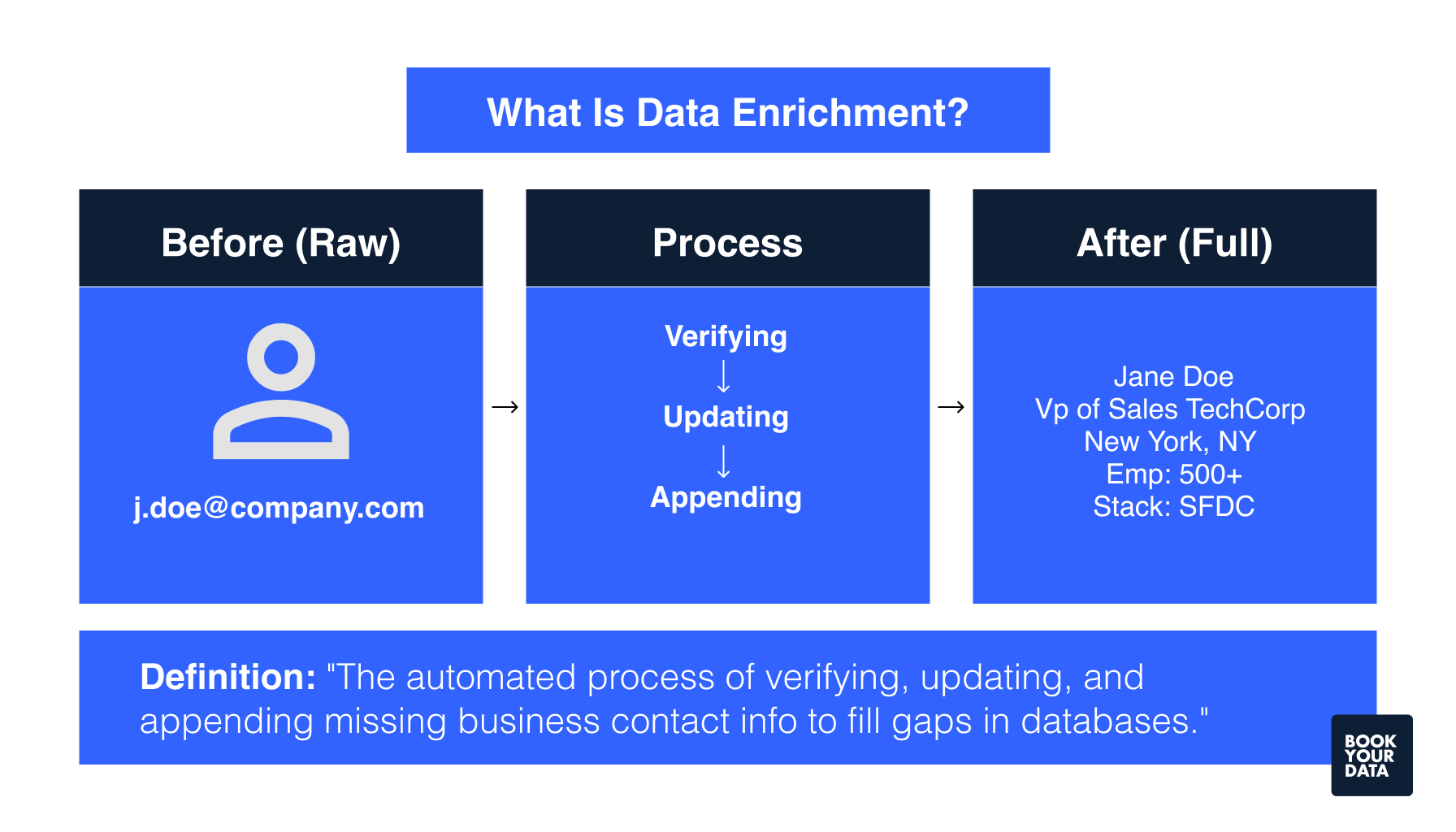
Data enrichment in B2B is the process of adding relevant information to existing contact and company records. B2B sales and marketing teams use data enrichment to fill gaps in their databases with accurate details about prospects and customers.
Data enrichment tools append missing information to incomplete profiles. These tools add firmographic data like company size, industry classification, annual revenue, and headquarters location. They also include demographic details such as job titles, direct phone numbers, email addresses, and LinkedIn profiles. Technographic enrichment identifies the software and hardware systems a company uses, while intent data tracks online behavior and buying signals.
B2B teams benefit from data enrichment in improving segmentation by allowing teams to group prospects based on industry, company size, or technology stack. Lead scoring becomes more accurate when profiles contain complete information about a prospect's role and company. Outreach personalization also increases because sales representatives can customize outreach messages based on specific pain points and business context.
What are the benefits of data enrichment tools?
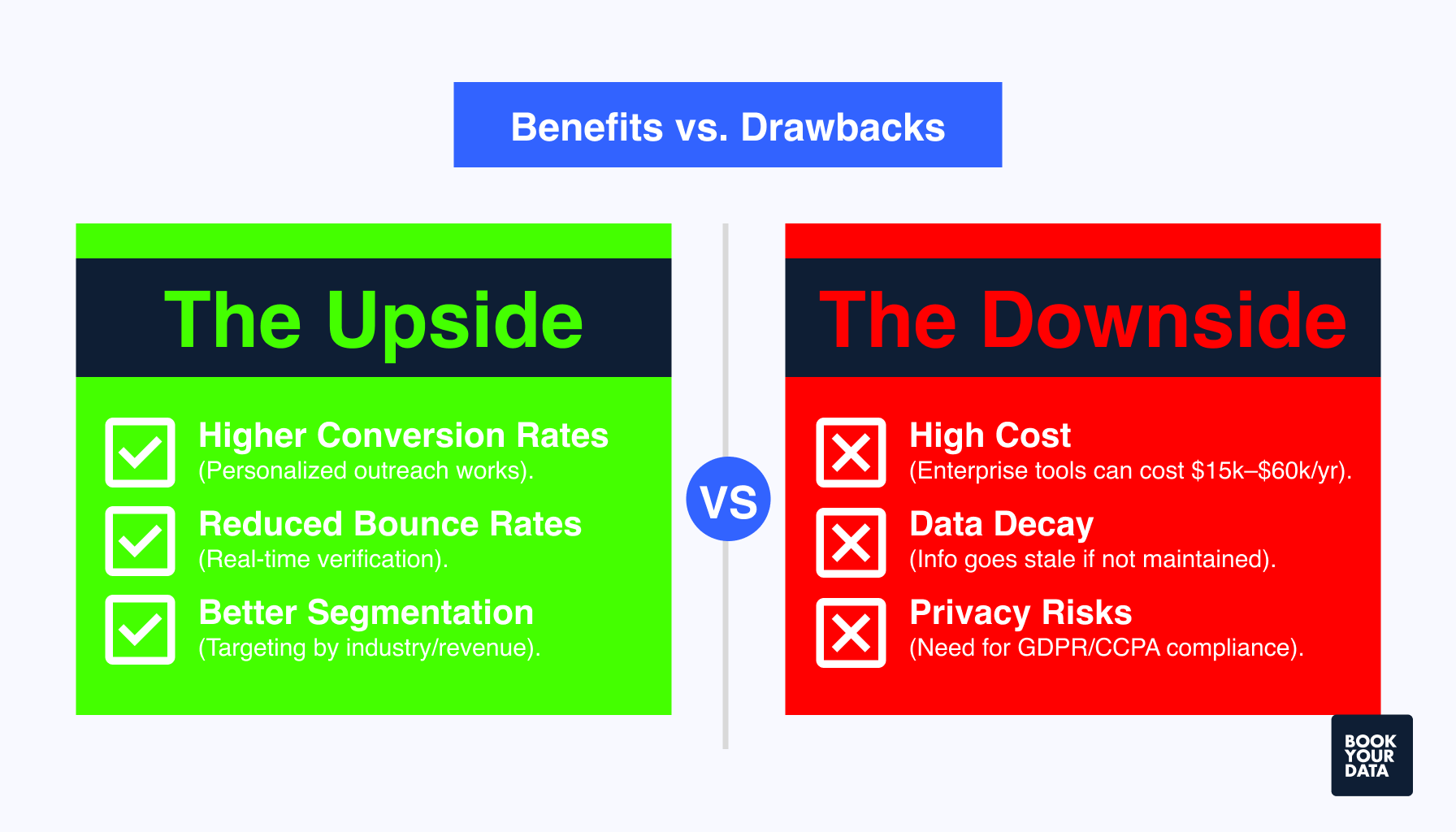
The benefits of data enrichment tools include improved lead quality, higher conversion rates, better segmentation, reduced bounce rates, increased sales efficiency, and stronger compliance.
The benefits of data enrichment tools are given below.
- Improved lead quality: Data enrichment fills missing fields like industry, company size, and contact details, so sales teams can identify high-value prospects faster, improve lead quality, and increase sales revenue.
- Higher conversion rates: Companies use enriched data to get an increase in lead conversion rates as accurate and complete prospect profiles allow personalized outreach that resonates with buyers.
- Better segmentation and scoring: Enriched databases allow precise audience grouping based on firmographic, demographic, and technographic attributes. Lead scoring models become more accurate when profiles contain complete information about company revenue, employee count, and technology stack.
- Reduced bounce rates and duplicates: Data enrichment tools validate email addresses in real time. Verified contact information decreases hard bounces and prevents wasted outreach, while automated deduplication removes duplicate records that create confusion and inflate costs.
- Increased sales efficiency: Enriched CRM records free up time for selling activities instead of manual research which prevents sales representatives from wasting their time in chasing bad or incomplete data.
- Personalized outreach: Enriched data provides the context sales reps need to craft relevant messages and personalized subject lines to boost open rates.
- Compliance and governance: Data enrichment platforms verify that contact information is current and collected from compliant sources. GDPR and CCPA regulations require businesses to use accurate data for marketing purposes.
- Better ROI on marketing spend: Marketers use AI-driven enrichment to increase in revenue, as accurate targeting reduces wasted ad spend and improves campaign performance across email, paid media, and direct mail channels.
What are the drawbacks of data enrichment tools?
The drawbacks of data enrichment tools include high costs, data accuracy limitations, privacy risks, integration difficulties, over-enrichment problems, and ongoing maintenance requirements.
The drawbacks of data enrichment tools are given below.
- High cost and scalability: Enterprise data enrichment platforms like ZoomInfo and Cognism charge $15,000 to $60,000 or more per year, which is not suitable for smaller or medium size businesses. Pricing usually scales with database size, which makes large-scale enrichment expensive.
- Data accuracy limitations: Enrichment tools pull information from multiple third-party sources, so accuracy depends on the providers. Some platforms update databases quarterly or monthly rather than in real time. Job title changes, company mergers, and contact updates take weeks to reflect in enriched records.
- Privacy and compliance risks: Improper data sourcing can violate GDPR, CCPA, and other privacy regulations. Companies must verify that enrichment providers collect data ethically and maintain consent records, as non-compliance can result in fines and reputational damage.
- Integration complexities: Many sales teams struggle to integrate enriched data into their CRM systems, which is the primary challenge to data enrichment adoption for B2B teams. Inconsistent data formats, field mapping errors, and API limitations create inefficiencies.
- Ongoing maintenance demands: Data enrichment is not a one-time project, and databases require continuous updates to remain accurate. Companies need dedicated processes for scheduled refreshes, data validation, and quality monitoring. Without regular maintenance, enriched data loses value within months.
Comparison table of benefits and drawbacks of data enrichment tools
The following table compares the benefits and drawbacks of data enrichment tools.
| Benefits | Drawbacks |
|---|---|
| Improved lead quality and high conversion rates | High cost and scalability |
| Better segmentation and scoring | Data accuracy limitations |
| Reduced bounce rates and duplicates | Integration complexities |
| Personalized outreach | Ongoing maintenance demands |
| Compliance and governance regulation | Privacy and compliance risks |
| Increased sales efficiency | |
| Better ROI on marketing spend |
What are the best practices to choose the right B2B data enrichment tool?
The best practices to choose the right B2B data enrichment tool include matching data quality and update frequency, verifying CRM integrations, evaluating GDPR/CCPA compliance, reviewing pricing models, and testing trials or free plans.
- Match data quality and update frequency: Look for providers that guarantee high data accuracy, match rates, and real-time verification, as B2B contact data decays annually, so it is important to consider verification and update frequency.
- Verify CRM integrations: Easy CRM integration removes manual work, as native connectors with Salesforce, HubSpot, and Microsoft Dynamics 365 allow real-time synchronization. Check for API access and webhook support before choosing a B2B data enrichment tool.
- Evaluate GDPR/CCPA compliance: Evaluate GDPR and CCPA compliance of the data enrichment platform according to your targeted geographic region, as compliance protects against fines and GDPR violations.
- Review pricing models: Compare pricing models of different data enrichment providers, as they vary from credit-based models to long-term commitments. BookYourData offers flexible and transparent costs starting from $99 for 250 contacts with a pay-as-you-go pricing model. ZoomInfo charges $14,995 to $39,995 and offers annual subscriptions only.
- Test trials or free plans: Use free trials to test the enrichment platforms before committing, and run test batches on actual prospect data to verify real-world accuracy.
Which enrichment tool is best for small businesses?
BookYourData offers the best data enrichment for small businesses. The platform provides pay-as-you-go pricing starting at $0.40 per contact with no subscription requirements. Apollo.io and Lusha also serve smaller teams without enterprise-level commitments.
What's the difference between data enrichment and data cleaning?
Data cleaning removes errors and duplicates from existing records. Data enrichment adds new information from external sources. Cleaning focuses on accuracy by removing outdated contacts, fixing formatting, and standardizing data formats. Enrichment appends firmographic, demographic, and technographic details to create complete customer profiles. Organizations perform cleaning first, then enrichment for maximum data quality.
How does AI improve B2B databases?
AI improves B2B databases through automated data validation, pattern recognition, and real-time updates. Machine learning algorithms identify and correct errors faster than manual methods. AI tools process millions of records in seconds, detect duplicates, fill missing fields, and flag outdated information. Natural language processing extracts insights from unstructured sources like news and social media.
Which tool offers the best API-based enrichment?
Clearbit, People Data Labs, and Apollo.io offer the best API-based enrichment for developers. Clearbit provides real-time firmographic and technographic data with HubSpot and Salesforce integrations. People Data Labs accesses 3.1 billion person profiles. Apollo.io delivers 30+ data points per contact with lead scoring capabilities.
How do data enrichment tools ensure GDPR/CCPA compliance?
Data enrichment tools ensure compliance through consent management, data encryption, and audit trails. They verify data sources, honor opt-out requests, and provide data processing agreements, as non-compliance result in GDPR fines.
How do data enrichment tools help B2B sales?
Data enrichment tools help B2B sales by providing complete prospect profiles and identifying buying signals. Sales teams use enriched data to close deals faster, as enrichment reduces research time and increases conversion rates. Data enrichment tools append job titles, direct phone numbers, company revenue, and technology stack information for targeted outreach.
How do data enrichment tools work with CRMs?
Data enrichment tools integrate with CRMs through native connectors, APIs, and real-time synchronization. Platforms like ZoomInfo, Clearbit, and Apollo connect directly with Salesforce, HubSpot, and Microsoft Dynamics 365. They automatically update contact records, append missing fields, and deduplicate entries. Integration reduces manual data entry and keeps customer profiles current across all systems.
Is ZoomInfo a legit tool for B2B leads?
Yes, ZoomInfo is a legit tool for B2B leads. ZoomInfo maintains 321 million data points across 14 million companies. The platform offers 95% data accuracy ratings from users and complies with GDPR and CCPA regulations.
What is data enrichment in ETL?
Data enrichment in ETL (Extract, Transform, Load) refers to the transformation phase where additional data appends to records before loading. During transformation, systems add external information like demographics, geographic codes, and behavioral data to raw datasets. This process improves data quality, fills missing fields, and prepares information for analysis in data warehouses.
Can I buy B2B leads from data enrichment platforms?
Yes, most data enrichment platforms sell pre-built B2B contact lists. BookYourData provides 500+ million verified contacts across 200+ countries with 97% accuracy guarantees. Other websites to buy B2B leads include Apollo.io and ZoomInfo, which allow filtering by job title, industry, company size, and technographics for targeted prospecting.
What are the trends in data enrichment tools?
The trends in data enrichment tools include AI automation, real-time processing, and intent data integration. The large scale organizations are converting to AI-powered enrichment implementation, while real-time API integrations replace batch processing. Privacy-first approaches and first-party data strategies respond to stricter GDPR and CCPA requirements.
How does data enrichment tools improve customer targeting?
Data enrichment tools improve targeting through firmographic segmentation, behavioral signals, and intent tracking. Enriched profiles show company size, industry, technology stack, and buying stage. Marketing teams use enriched data to achieve higher revenue through personalized messaging, which increases email open rates and improves click-through rates.
[CTA1]